
What it does for an agency
- Every release checked in production. Each deploy is compared with the app's last healthy release, route by route and job by job. You hear right away when one fails, and you get a clear "cleared" when it doesn't, within about 20 minutes on a busy app. A quiet app can clear on a short smoke test.
- Stopped jobs caught before the client calls. DeployAngel reads each app's schedule from Solid Queue, Sidekiq, GoodJob, whenever, Celery Beat, or Hangfire. When a nightly job misses its run, you get one alert, and another when it runs again. There's nothing to set up per job.
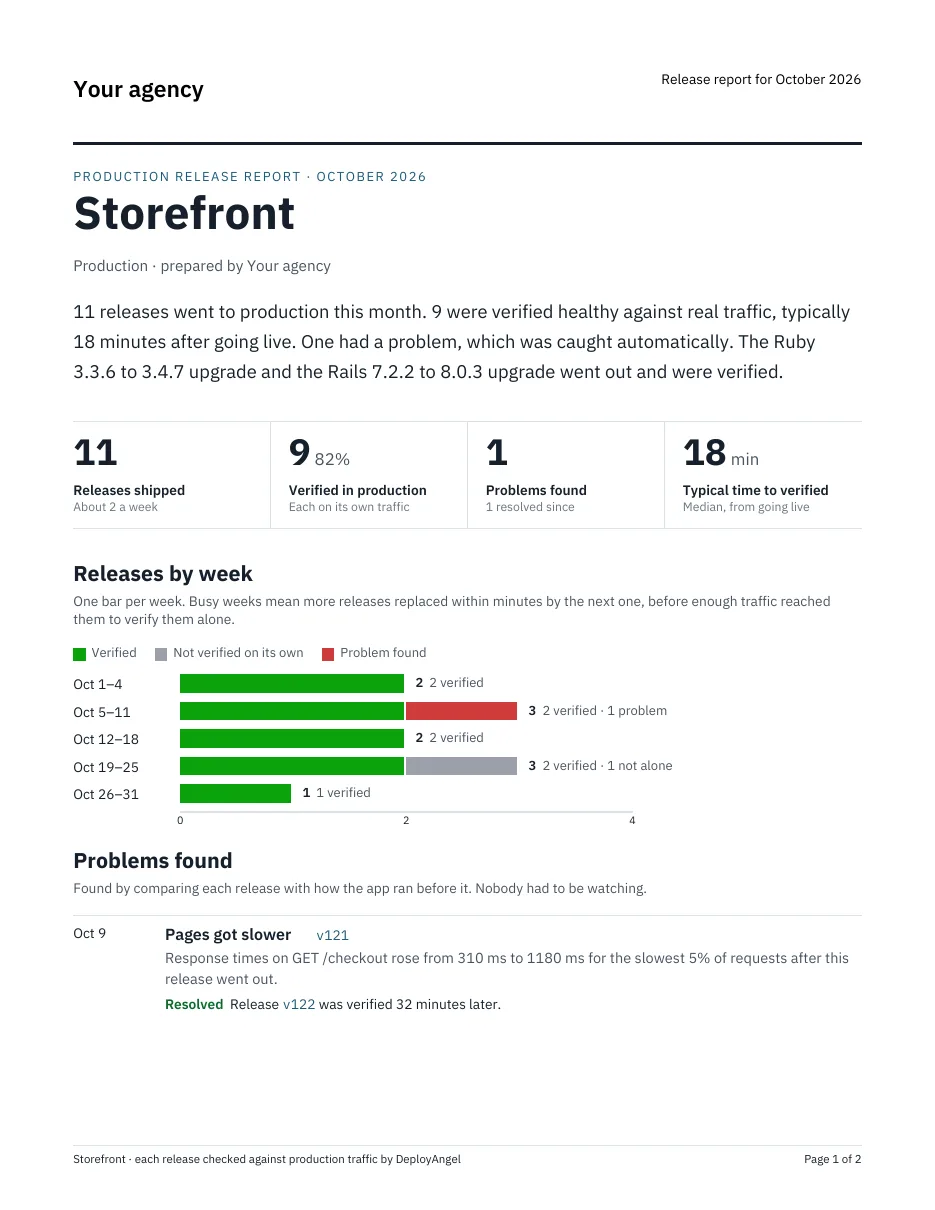
- A monthly report with your logo. A two-page PDF for each app covers the month's releases, any problems and the release that fixed them, upgrades, errors, and scheduled jobs. Your team gets last month's on the 1st, ready to forward. It's the plain record of what the retainer paid for.
- Upgrades you can ship on a Friday. Framework, runtime, and dependency upgrades are flagged and checked like any release, so a Rails or Django upgrade doesn't need a weekend of watching.
- Alerts where each client's work happens. Each app has its own channels, so one client's problems go to that client's Slack channel, email list, webhook, or PagerDuty service.
- Your coding agents get the verdict too. If your developers ship with Claude Code, Cursor, or Codex, the agent can wait for production's verdict and read why a release failed.
Getting your clients comfortable
Adding an agent to a client's production app usually needs the client's OK. The client brief is a one-page explanation written for them: what DeployAngel collects, what it never touches, how it stays out of the app's way, and how long data is kept. Send them the link.
Setting up your client apps
- One account for your agency. Add each client app as its own project, with production and staging if it has one. Invite your team; seats are unlimited.
- Install the agent in each app. Add the gem or package, set its token, and deploy. A coding agent can do the whole setup from one prompt in the dashboard. It works on Rails, Hanami, Sinatra, Django, FastAPI, Flask, and ASP.NET Core, wherever the app runs. On Heroku, the add-on registers deploys by itself.
- Add your name and logo under Account, Monthly report branding, and choose where each app's alerts go.
The first day after an app starts reporting is a warm-up while DeployAngel learns what's normal for it. Releases after that can clear.
Pricing
Free during the beta, with every feature and no credit card. Pricing for agencies isn't set yet. If you look after a lot of apps, tell me what would work for you.
Questions
Does it replace our error tracker or uptime monitoring? No. It works alongside Sentry, Honeybadger, AppSignal, and your uptime checks. It answers a different question: did this release work in production, and are the scheduled jobs still running. It can post each verdict into Honeybadger or AppSignal so it sits next to your errors.
What do clients see? Only what you send them: the monthly report, or a link to a single release's page if you share one. They don't need an account.
What if a check gets it wrong? Mark the verdict as wrong on the release's page and add a note. The monthly report then lists it as a dismissed false alarm with your note, not as a problem.
Will it slow the apps down? Recording a request adds about 2 µs. A background thread sends a summary once a minute, so requests never wait on the network, and if DeployAngel is unreachable the app carries on.
I'd like DeployAngel to be the tool agencies reach for when a client asks how their app is doing. If you're thinking about trying it, I'm happy to set it up with you on your first few client apps.
— Jordan Owens, founder of DeployAngel